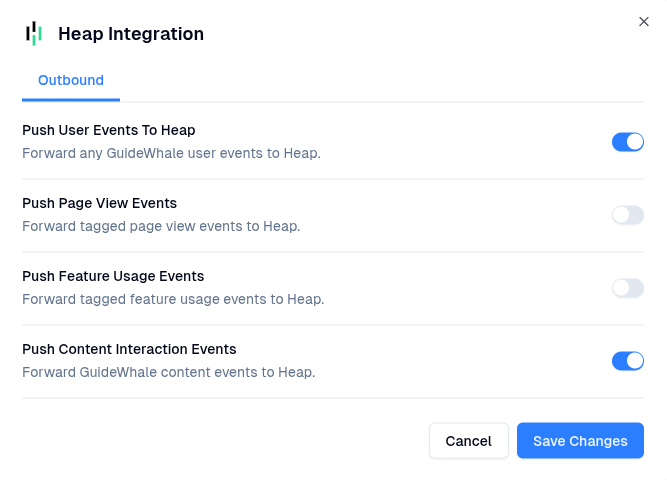
All user events pushed to 3rd party platforms are prefixed with
gw_ to easily differentiate GuideWhale from other event sources.Use Cases
- Gain a thorough understanding of your clients’ journeys within your web app so you can increase conversion, satisfaction, and retention.
- Track how users are interacting with your in-app guides, checklists, and banners and compare that to how they are interacting with your website.
- Identify which features are being used the most and adjust your product roadmap accordingly.
- Analyze how users are completing specific tasks and identify pain points in your user experience.
Requirements
- Installed GuideWhale Javascript SDK
- Installed Heap Analytics Javascript SDK
- Enabled integration in GuideWhale dashboard settings
How It Works
- GuideWhale SDK will fetch the integration settings from our dashboard when a user is identified.
- When a new GuideWhale event is tracked, we first check if event pushing is enabled and if the event belongs to an enabled group of events.
- After that we try pushing the event to Heap using your installed Heap SDK if it is available.
- Please note that this will likely not work for users who have installed an ad blocker as it will block all events from going out to Heap Analytics.
Configuration
- Navigate to Settings > Integrations .
- Here you will be able to enable the integration and toggle which event types you want GuideWhale to send to Heap Analytics.
- Once enabled, users will start pushing GuideWhale events to Heap Analytics.