All user events pushed to 3rd party platforms are prefixed with
gw_ to easily differentiate GuideWhale from other event sources.Use Cases
- Target personalized messaged, emails or chatbot flows based on GuideWhale events.
- View user events inside Intercome user profile to improve contextual awareness of your support agents with the information which GuideWhale content has already been seen.
- Segment users inside Intercom for precise targeting.
Requirements
- Installed GuideWhale Javascript SDK
- Installed Intercom Javascript SDK
- Enabled integration in GuideWhale dashboard settings
How It Works
- GuideWhale SDK will fetch the integration settings from our dashboard when a user is identified.
- When a new GuideWhale event is tracked, we first check if event pushing is enabled and if the event belongs to an enabled group of events.
- After that we try pushing the event to Intercom using your installed Javascript SDK if it is available.
- Please note that this will likely not work for users who have installed an ad blocker as it will block all events from going out to Intercom.
Configuration
- Navigate to Settings > Integrations .
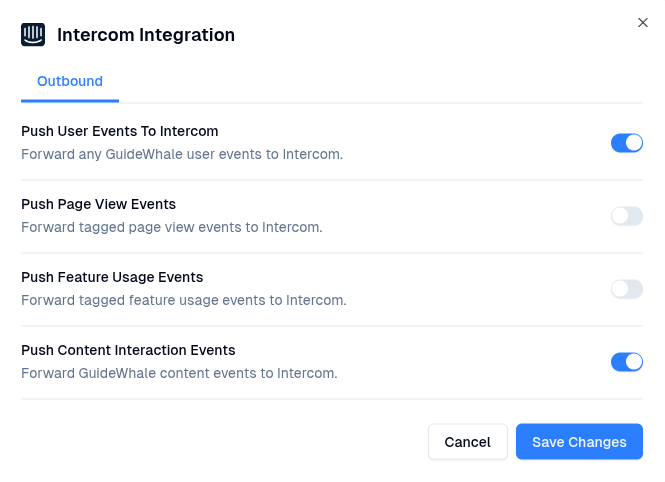
- Here you will be able to enable the integration and toggle which event types you want GuideWhale to send to Intercom.
- Once enabled, users will start pushing GuideWhale events to Intercom.