

Why it matters
User segments let you target GuideWhale content to users based on their properties and their application activity:- Page Views: when user views page withing the application.
- Feature Usage: when user uses an in-app feature.
- Milestone Completion: when user completed an adoption milestone.
- GuideWhale Content Interactions: when user views or completed any of the in-app engagement contents.
Best Practices
- Start segmenting users by product usage maturity (New, Returning, Power, Champions)
- Split users by different plan usage to promote different product goals and parts of your application
- Use other custom user properties for better segmentation and content targeting
- Regularly review and update segment definitions as needed
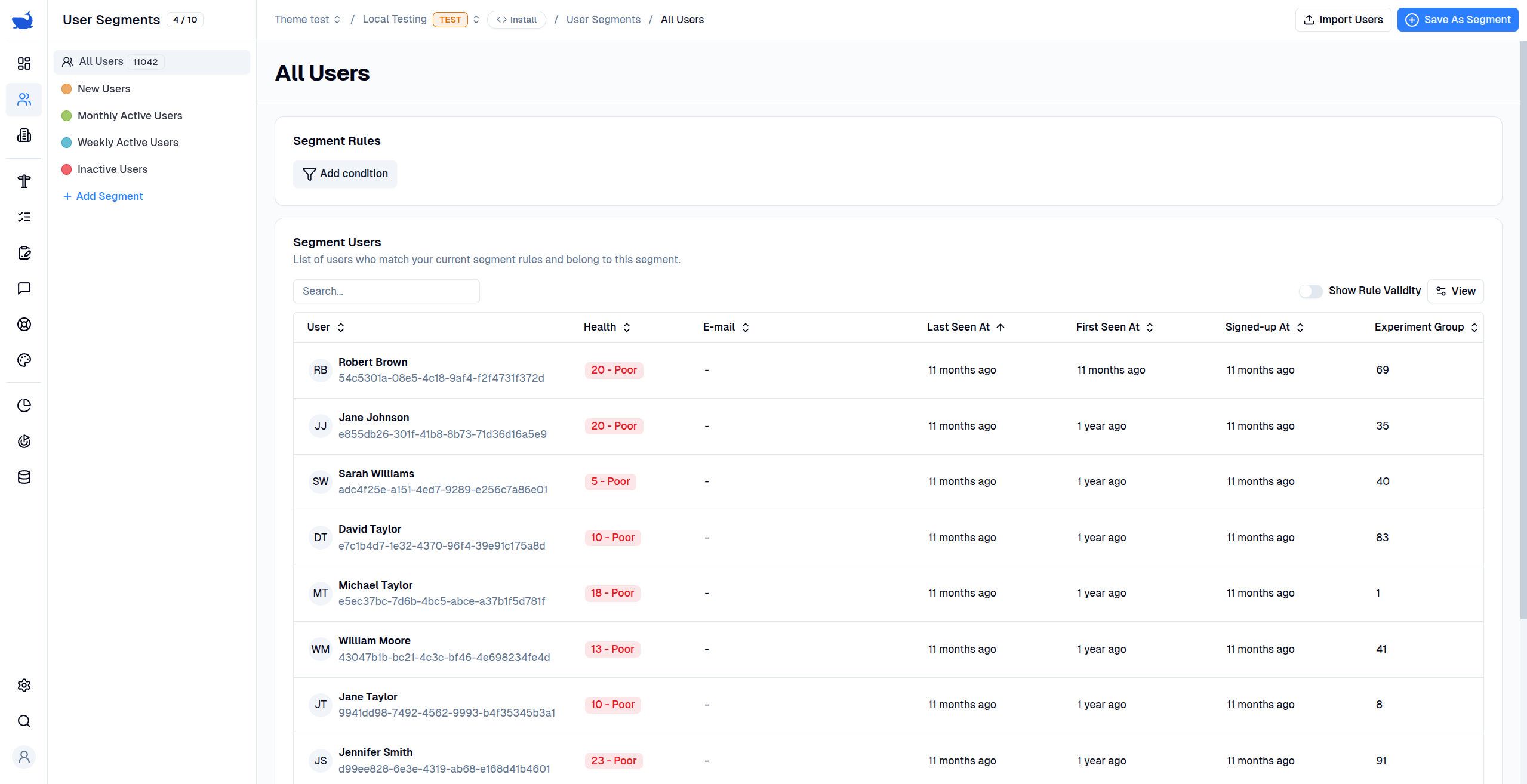
Configuration
- Lifecycle Stage: Groups segments into lifecycle stages for easier management and analysis.
- Title: Give your segment a meaningful title.
- Description: Provide a description of the segment to help your team understand its purpose.
- Segment Rules: Define the filters that determine which users belong to this segment.
Segment Rules
You can create user segments based on user properties, application activity, or by nesting other user segments to avoid repeating the same rules. You can combine multiple rules to define a segment using theAND and OR operators. This allows you to create complex filters that target specific users.
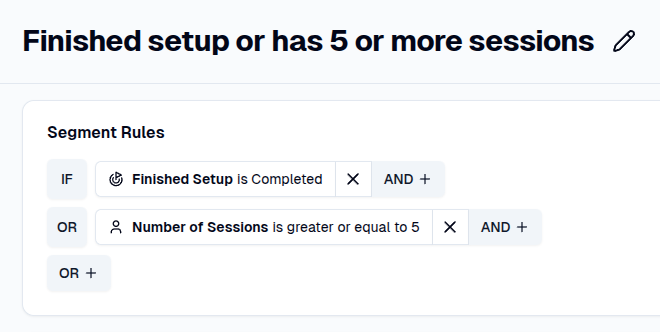
- OR: At least one of the rules must be true. For example, you can find users who have completed the setup or users who have used the application at least 5 times by using the
ORoperator on theMilestone is completedrule and an auto-generatedNumber of Sessionsuser property.
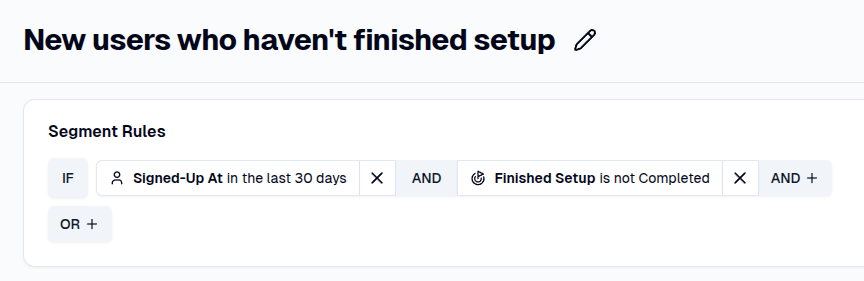
- AND: All rules must be true. For example, to target new users that have signed up recently but haven’t completed their setup, use a combination of the
Signed-Up Atuser property andMilestone is not Completedrule.
Analytics
- Segment Users Table: Displays all users for the selected environment that belong to this segment (i.e., that match the segment rules).